If you were following the “Publishing your own website with Jekyll” on macOS Catalina, after running bundle install and bundle exec jekyll serve you may have run into this error:

The solution is quite simple although it may not be trivial if it is your first time doing this. In this pro-tip, I’ll show you how to fix this error so you can continue blogging 😉
If you run into this error it probably means that the Jekyll version you are using on your project may be incompatible with the ruby version in your machine, to fix that we will need to upgrade your project’s jekyll version.
First things first, remove the vendor generated in the previous bundle install, remember to adjust your vendor path accordingly:
1
$ rm -rf vendor/
After that, you’ll need to remove your Gemfile.lock, this file locks the version of your gems, and it is automatically generated by bundle when you install your gems. Since we want to update Jekyll’s version, this file will get in the way forbidding us from installing a higher version. So just go ahead and remove it:
class="highlight">1
$ rm Gemfile.lock
Now go to your Gemfile and upgrade the version to the new one. Fresh was running on Jekyll version 3.4.3 as you can see here, the most recent Jekyll version available is 4.0.0. To update the version open the Gemfile on your favorite editor, find the line where Jekyll version is set and update the version value, it should look like this afterward:
class="highlight">1
gem "jekyll", "4.0.0"
Now all you have to do is reinstall everything and run the Jekyll server:
class="highlight">1
2
$ bundle install
$ bundle exec jekyll serve
And you should see something like this on your terminal:
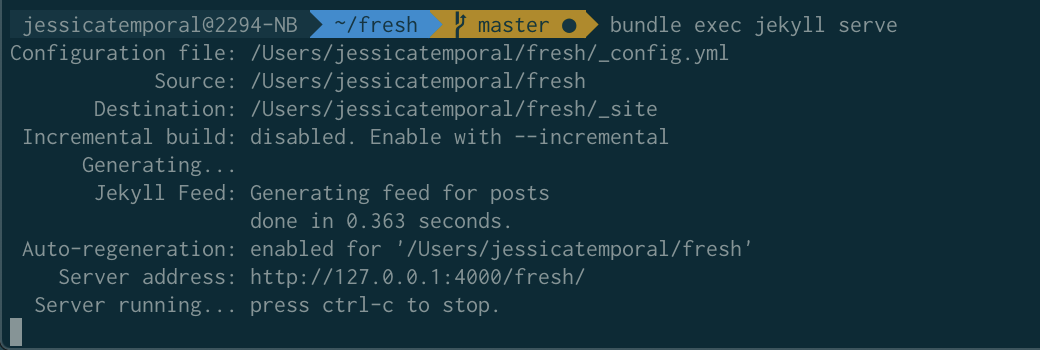
And now you are good to go! Happy blogging 🎉

Recent Articles
english The most productive Saturday I've had all year thanks to Grok Bot
I built a six-bot Grok Bot squad on Friday night and spent Saturday shipping. Here's the team, what we closed, and how I kept the quota from vanishing.
english I built my AI squad and I had my most productive Saturday ever
Is this what the future of building with AI will look like?
english Starting a project from zero with AI: begin with the AGENTS.md
How I actually start a project with AI: the first file I write is not code, it is the AGENTS.md rules the agent reads every time. Grounded in my vid-compacter repo.